> For the complete documentation index, see [llms.txt](https://help.tpwallet.io/en/llms.txt). Markdown versions of documentation pages are available by appending `.md` to page URLs; this page is available as [Markdown](https://help.tpwallet.io/en/wallet-operation/how-to-trade-on-dex/birdeye.md).
# Birdeye User Guide
Birdeye represents a Blockchain Data Aggregator tailored for Traders. Our core objective is to assist traders in their investment deliberations through the provisioning of data-centric market analysis tools sourced from Birdeye and its affiliated partners.
### BirdEye Tutorial
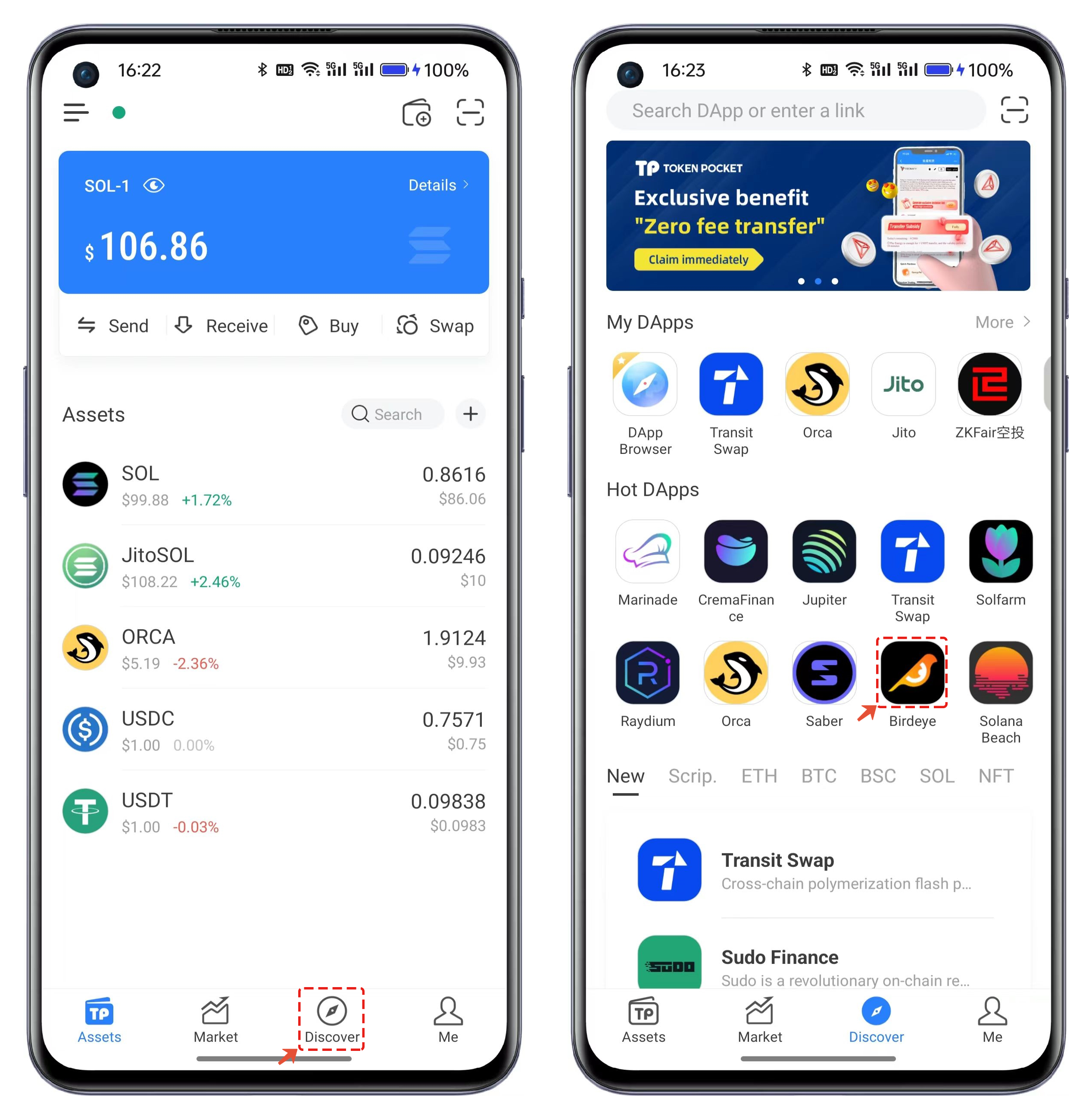
1. Open TokenPocket, click on【Discover】, and open【BirdEye】in the Hot DApps.
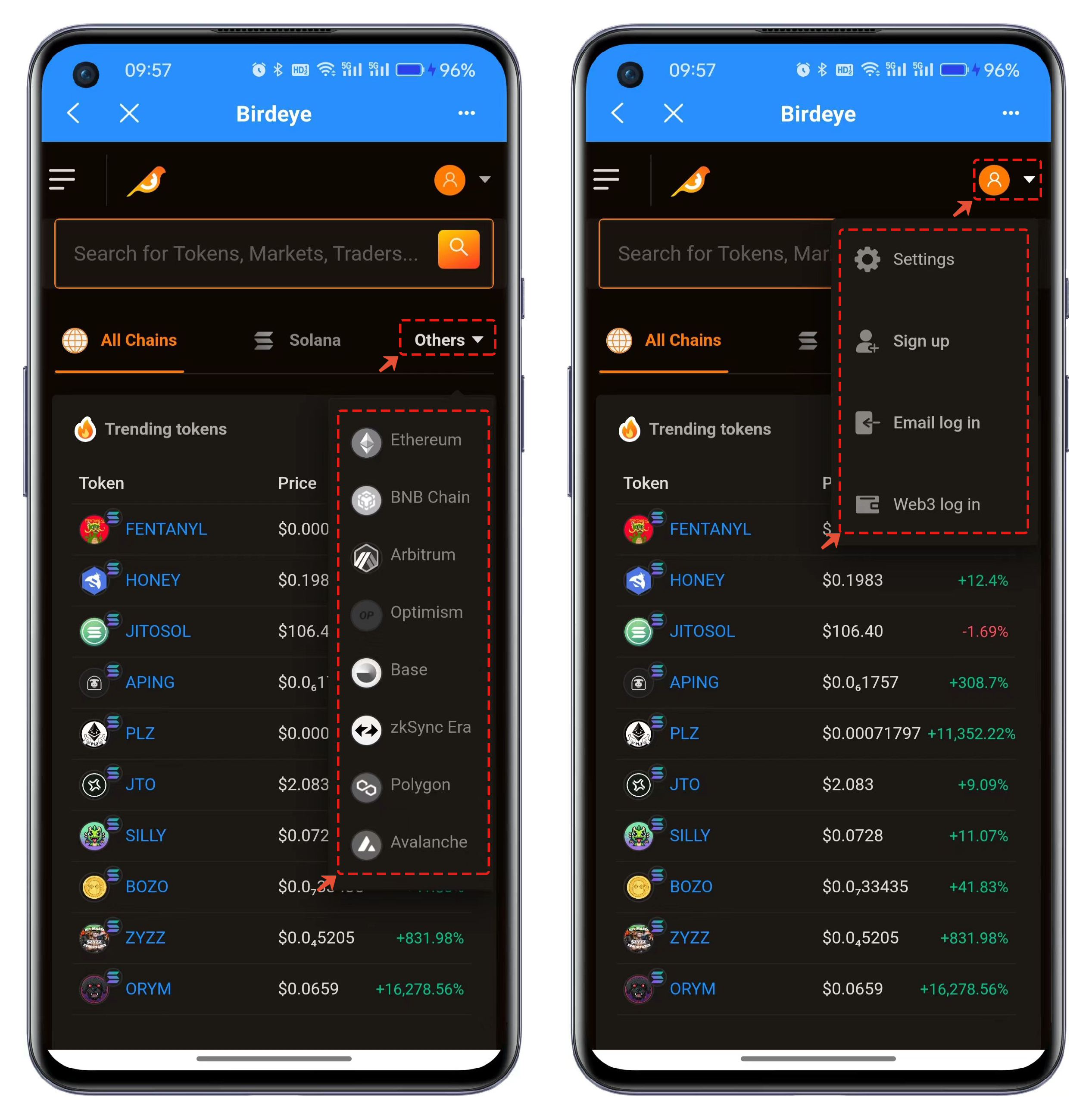
2. Birdeye supports the display of data from multiple public chains, and you can choose data from other public chains in the "Others" section. Two login methods can be selected in the top right corner menu. If you choose Web3 login, simply connect using the TokenPocket method.
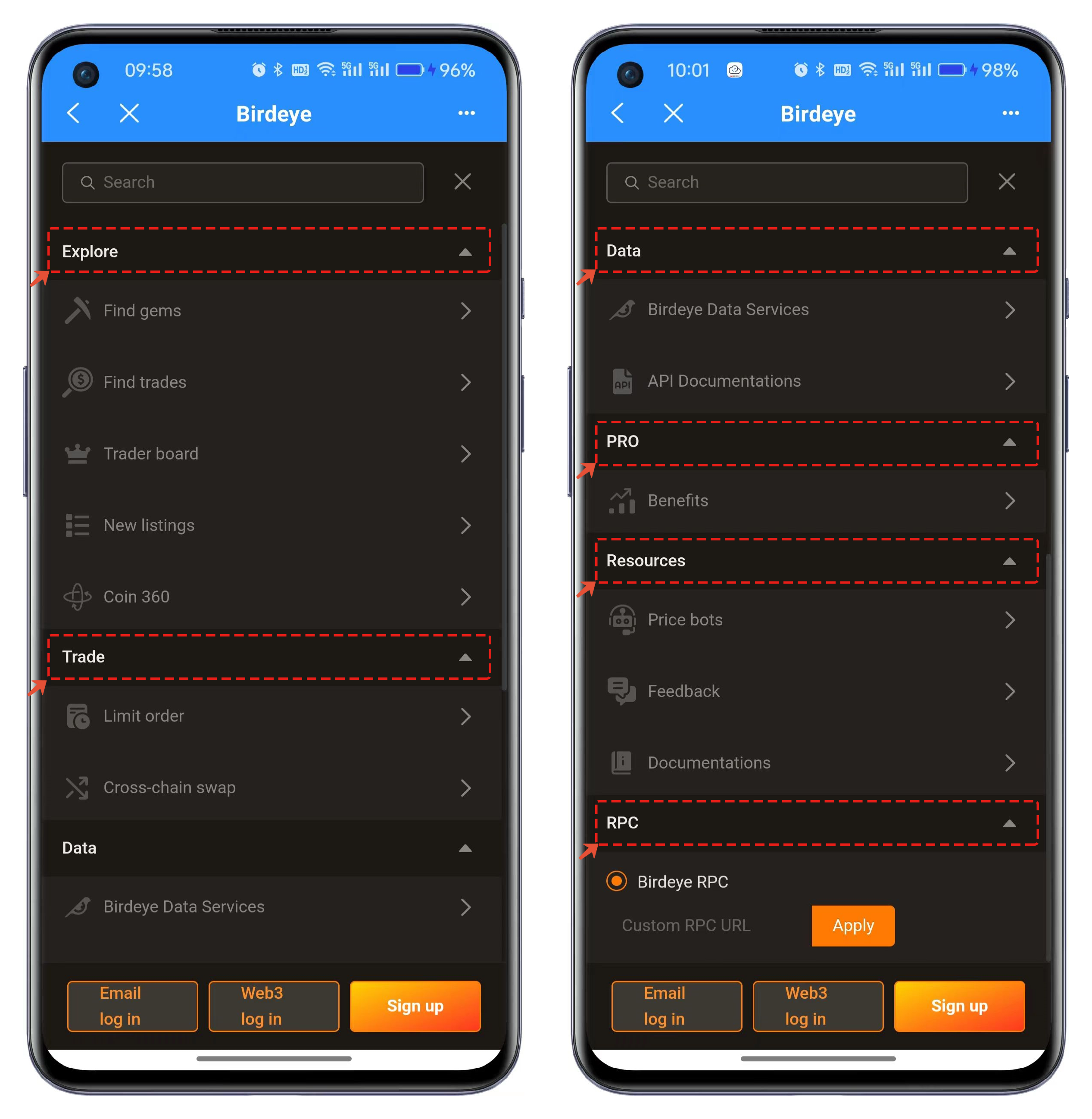
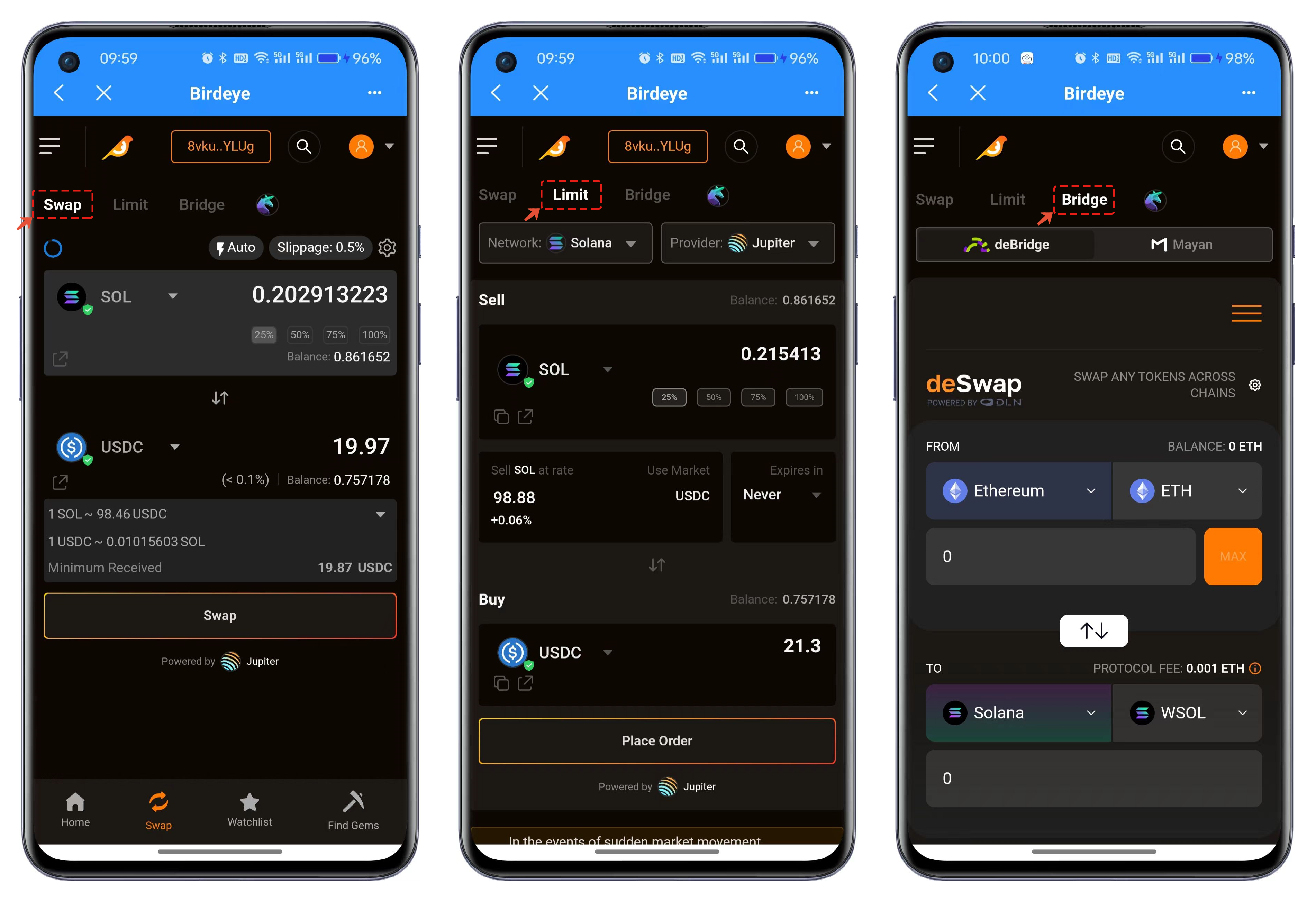
3. The menu in the upper left corner of the interface displays all the features of Birdeye. In "Explore," various token data is showcased, with optimal performance on the PC. The "Trade" function integrates Swap, Limit, and Bridge features, allowing convenient use without opening multiple DApps. "Data" is a core feature of Birdeye, offering developer interfaces for APIs. The "PRO" feature includes more valuable data and requires payment for access. "RPC" represents Birdeye's node functionality, allowing customization to use faster and more stable nodes.
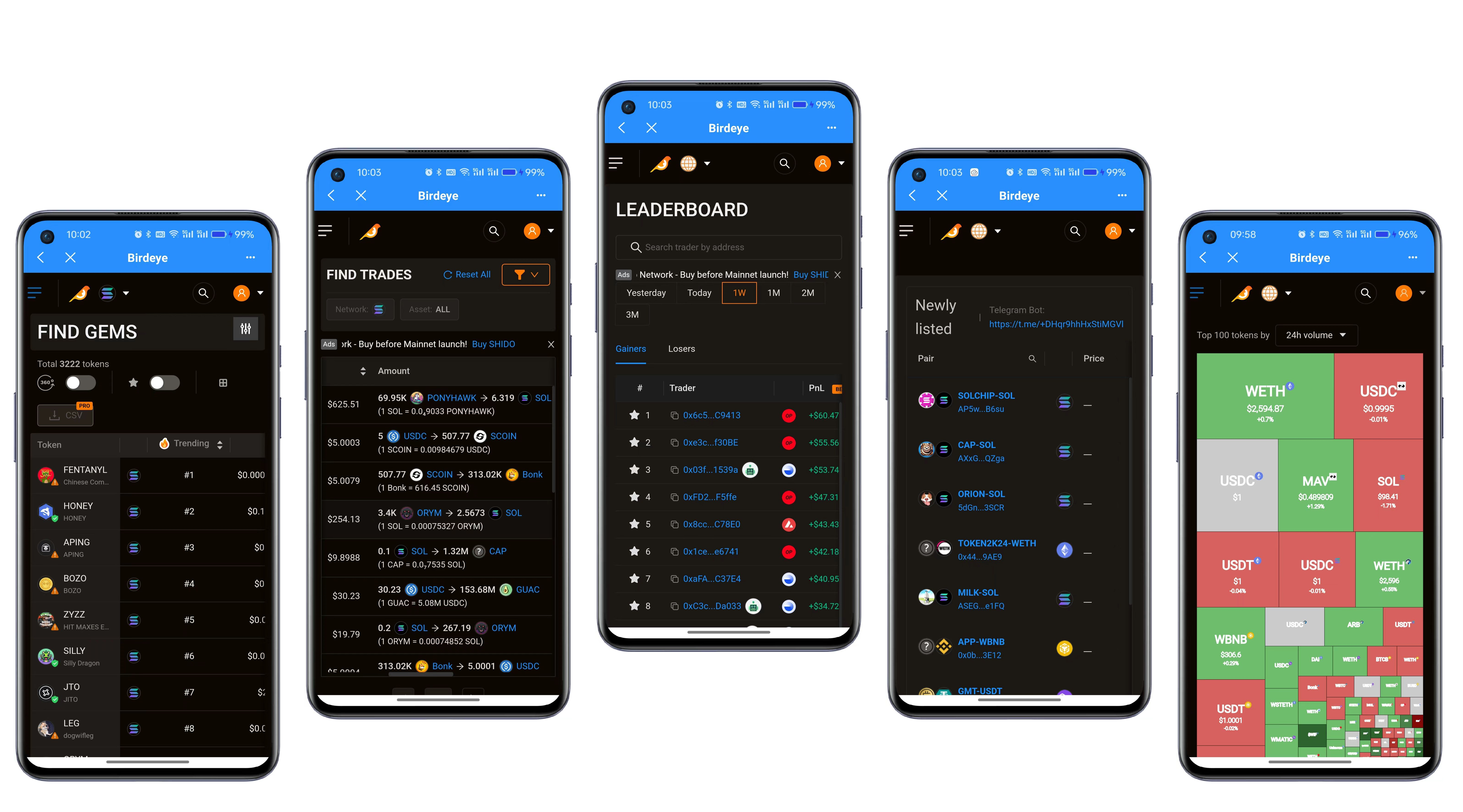
4. Birdeye has a wide variety of data types, so here we use a composite image to provide a simple overview. Specific usage requirements may vary depending on individual preferences.
5. The last mentioned is the transaction feature in Birdeye, which includes Swap, Limit, and Bridge functions, with usage habits similar to the DApps we use in our daily lives.
**For more details, refer to the official** [**documentation**](https://docs.birdeye.so/)**.**