# Taiko Testnet Use Guide

### Mobile Wallet Tutorial&#x20;

### How to add the Taiko Testnet on TokenPocket

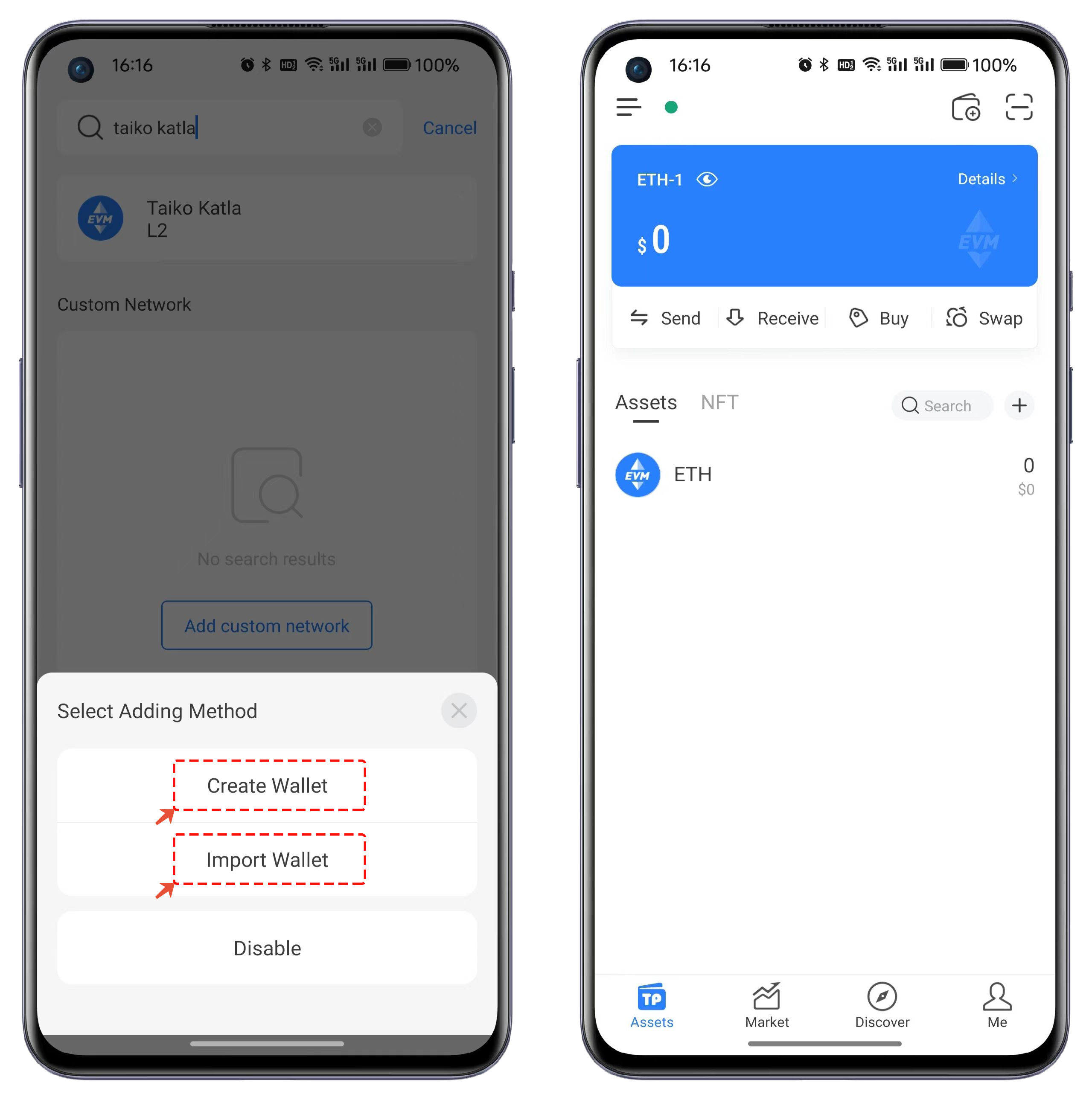
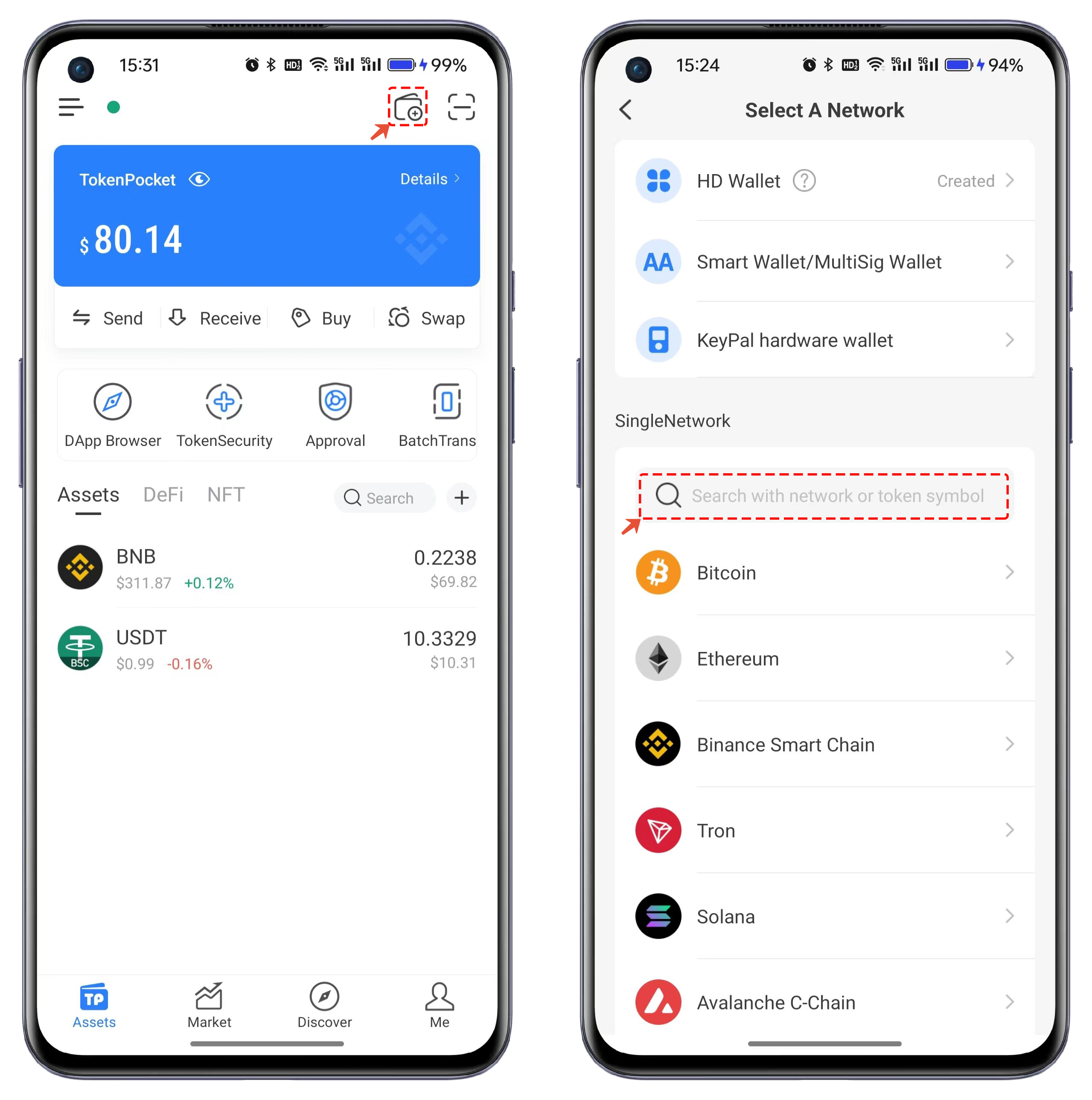
1. Open the TokenPocket APP, click on the top right corner, and enter "Taiko Katla L2" in the search bar of the list.

<figure><img src="https://files.gitbook.com/v0/b/gitbook-x-prod.appspot.com/o/spaces%2F-MMJyYRLFVRsMrfcXuRV%2Fuploads%2FNcHlHkxRUb63a3wVnjrw%2F1.png?alt=media&#x26;token=46b67b0f-43c4-48e9-989f-758d37680380" alt=""><figcaption></figcaption></figure>

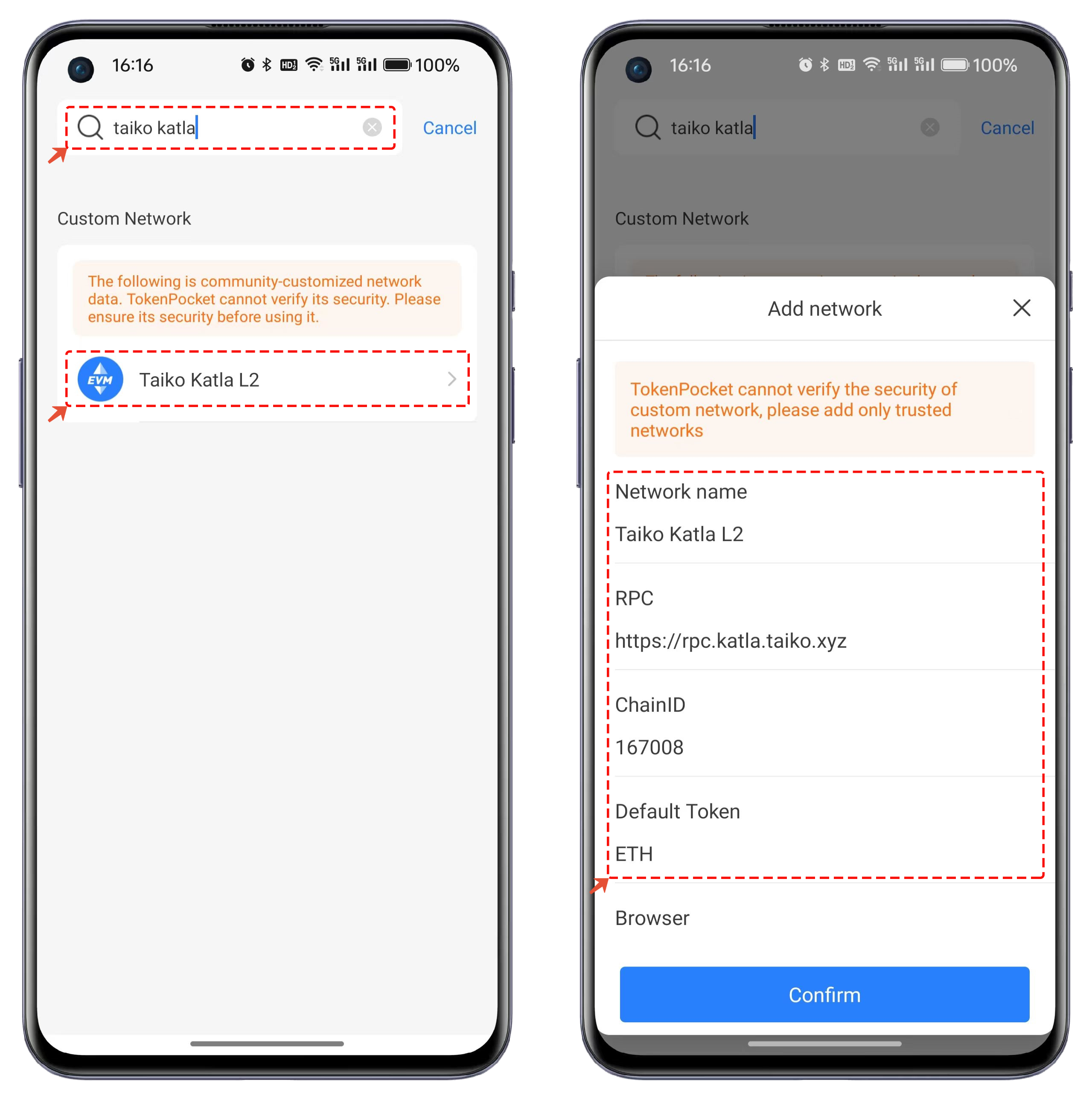
2. Review the search results, click on Taiko Katla L2, verify the information in the popup window, and click 【Confirm】.

<figure><img src="https://files.gitbook.com/v0/b/gitbook-x-prod.appspot.com/o/spaces%2F-MMJyYRLFVRsMrfcXuRV%2Fuploads%2Fty5eKCwBX005ERlmbY7e%2F2.png?alt=media&#x26;token=d9f02dfc-ae34-4bc1-9b2c-47491ad6e4d3" alt=""><figcaption></figcaption></figure>

3. After adding, click on the newly added Taiko Katla L2 public chain. You can choose to create a wallet or import a wallet and then use the Taiko Katla L2 wallet.

<figure><img src="https://files.gitbook.com/v0/b/gitbook-x-prod.appspot.com/o/spaces%2F-MMJyYRLFVRsMrfcXuRV%2Fuploads%2FXhf7kLy9nFd9O5HNgg6u%2F3.png?alt=media&#x26;token=e2da8151-aba5-482c-b15a-adc1243c3682" alt=""><figcaption></figcaption></figure>

### Plugin Wallet Tutorial:

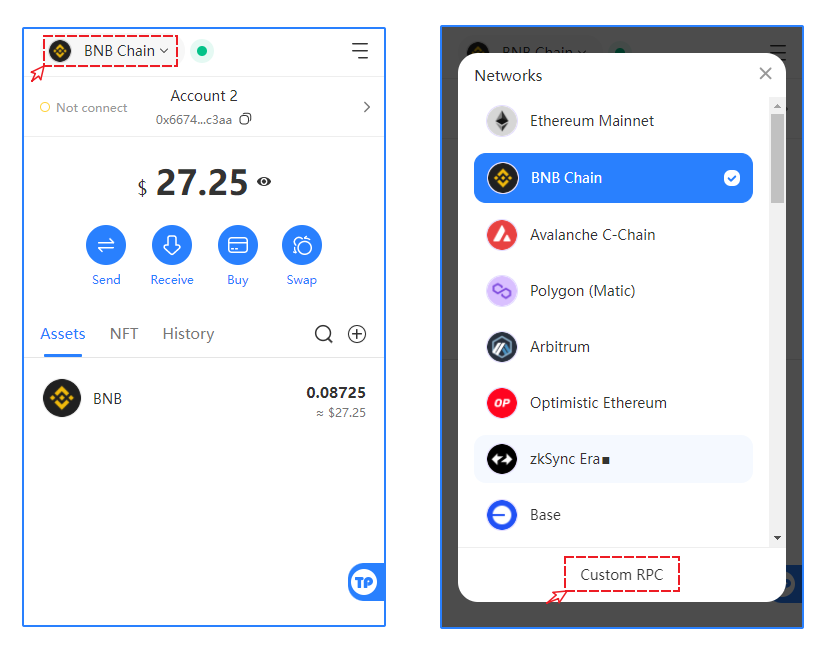
1. Open the TokenPocket plugin wallet and click on the top-left corner's blockchain option. Select the "Custom RPC" function.

<figure><img src="https://files.gitbook.com/v0/b/gitbook-x-prod.appspot.com/o/spaces%2F-MMJyYRLFVRsMrfcXuRV%2Fuploads%2FTASeJavPdqAui8NOEvdg%2F1.png?alt=media&#x26;token=59bc091e-b83e-483b-9b72-a5a30df5a0b9" alt=""><figcaption></figcaption></figure>

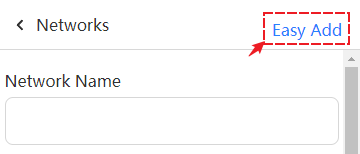
2. Click on "Easy Add" in the network.

<figure><img src="https://files.gitbook.com/v0/b/gitbook-x-prod.appspot.com/o/spaces%2F-MMJyYRLFVRsMrfcXuRV%2Fuploads%2Fp1vXjT3Xg3bWJp8m5X9k%2FSnipaste_2024-01-19_16-19-13.png?alt=media&#x26;token=13525d8c-e926-403e-bd28-d7b1c78a3cc3" alt=""><figcaption></figcaption></figure>

Search for Taiko Katla L2, and select "Add To TokenPocket" from the search results to add it to the plugin wallet.

<figure><img src="https://2634619309-files.gitbook.io/~/files/v0/b/gitbook-x-prod.appspot.com/o/spaces%2F3qtItoZih7cEdFc6kPNk%2Fuploads%2FcalGctPYHPkGMaycNv07%2F1706024368663.jpg?alt=media&#x26;token=855ad2ac-c677-4049-b990-1799d59ea6b4" alt=""><figcaption></figcaption></figure>

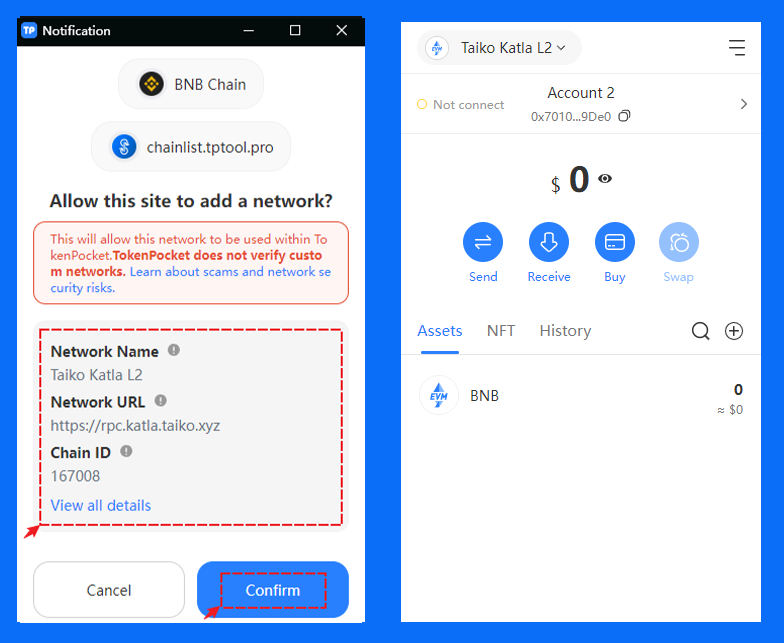
3. After selecting to add a network, the parameters for the network to be added will appear. After confirming the details, click "Confirm" to add the Taiko Katla L2 wallet.
<figure><img src="https://files.gitbook.com/v0/b/gitbook-x-prod.appspot.com/o/spaces%2F-MMJyYRLFVRsMrfcXuRV%2Fuploads%2FRsF0SmDhm9htVuCGmog9%2FSnipaste_2024-01-19_15-56-47.png?alt=media&#x26;token=f6fee748-20b5-4680-8ff7-e50021cba13e" alt=""><figcaption></figcaption></figure>