> For the complete documentation index, see [llms.txt](https://help.tpwallet.io/en/llms.txt). Markdown versions of documentation pages are available by appending `.md` to page URLs; this page is available as [Markdown](https://help.tpwallet.io/en/wallet-operation/how-to-create-a-wallet/berachain.md).
# How to Create and Import Berachain Wallet on TokenPocket? (Mobile & Chrome Wallet Guide)
Learn how to create and import Berachain wallets on TokenPocket, whether using the mobile app (iOS & Android) or the plugin wallet. This guide provides detailed steps to help you manage your Berachain
## **How to create a Berachain wallet in TokenPocket?**
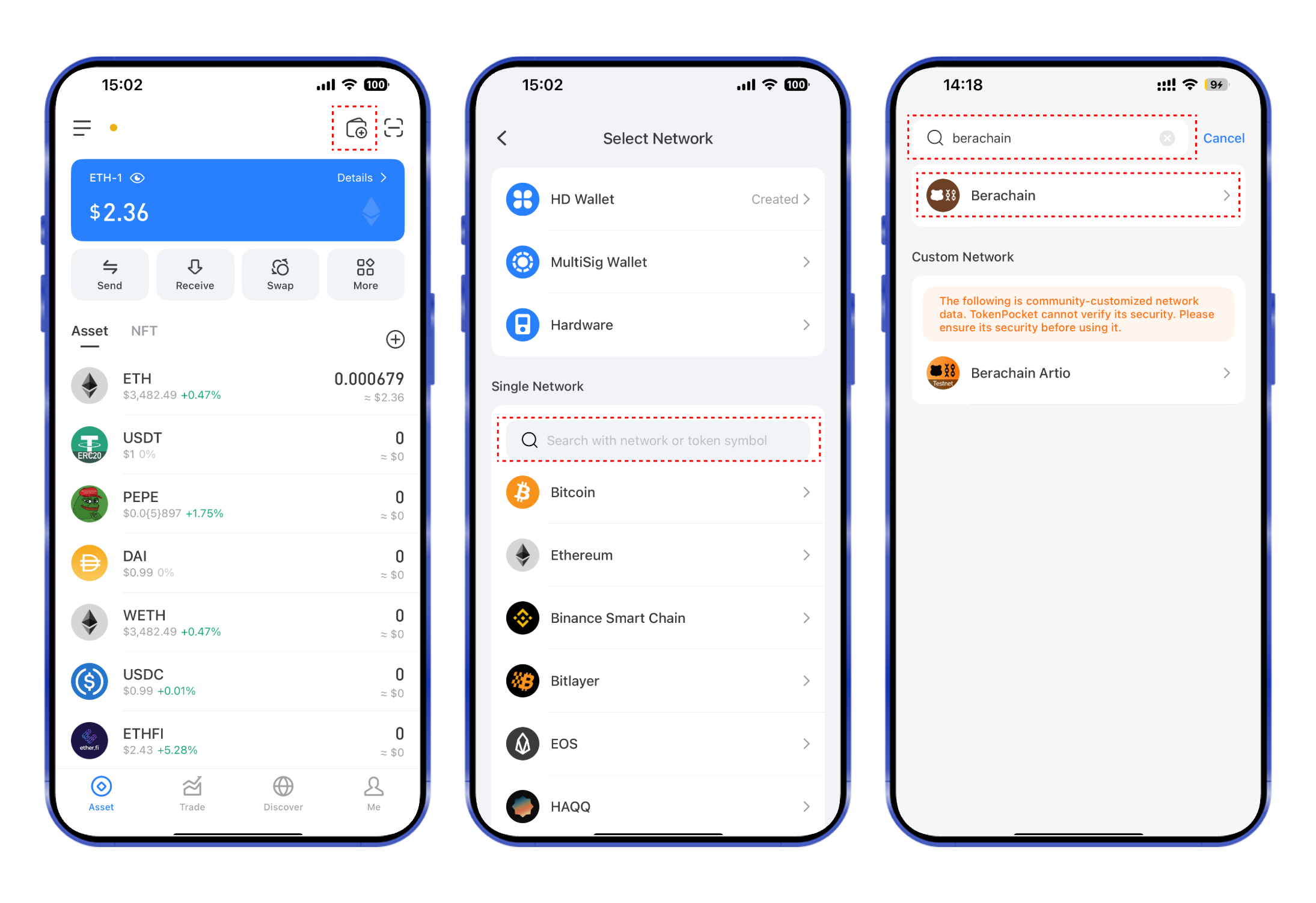
1. Open the TokenPocket APP, click  on the upper right corner, click the search bar, and enter **Berachain;**
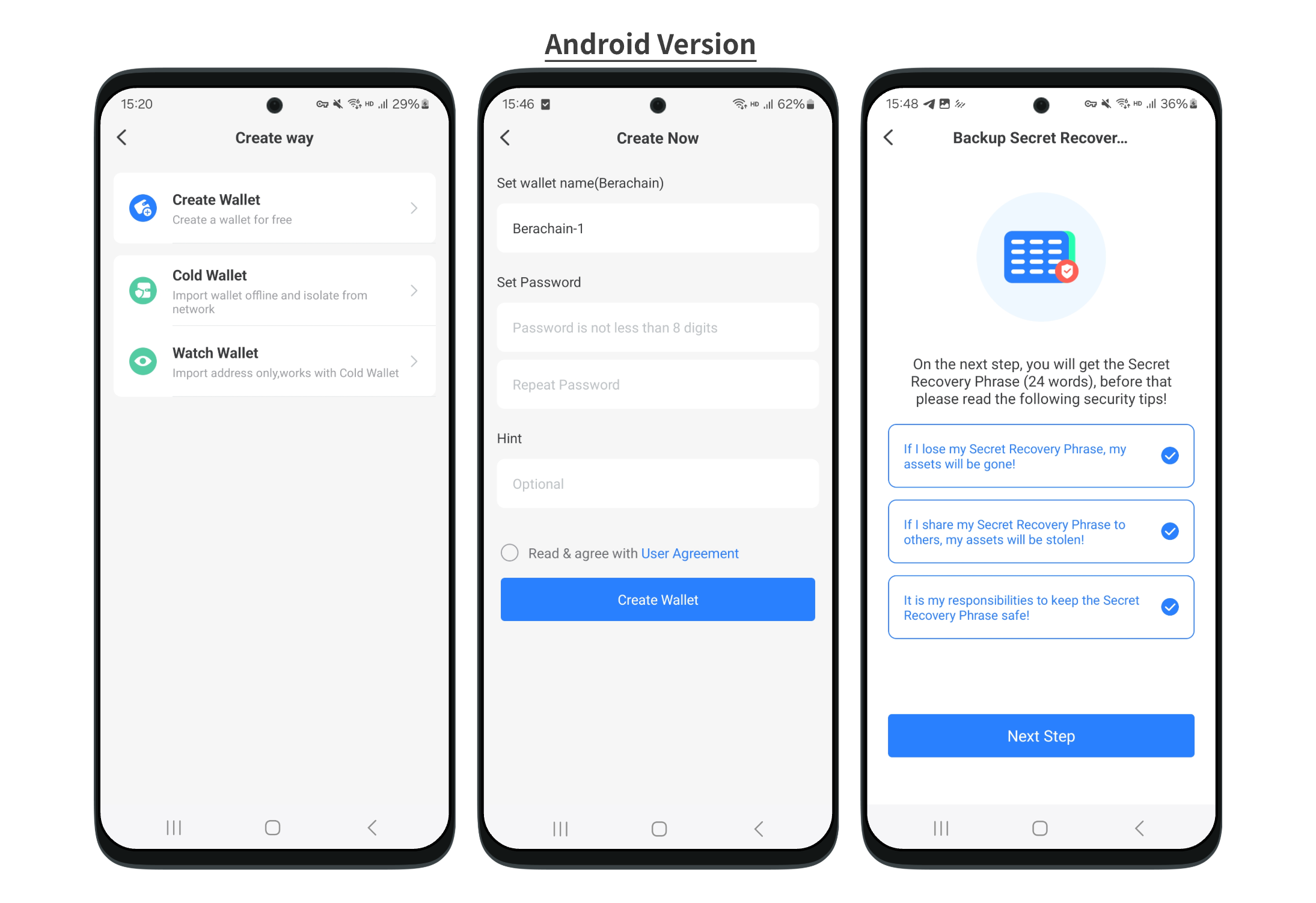
2. >Android Version. Click **\[Berachain]** and click **\[Berachain]** after the 1st step, then set your wallet name, password, and so on. Follow the steps below.
>iOS Version. Click **\[Create Wallet]**, then set your wallet name.
3. Back up the secret recovery phrase on the paper, and store it in a safe place. Click **\[Completed backup]** and verify your secret recovery phrase.
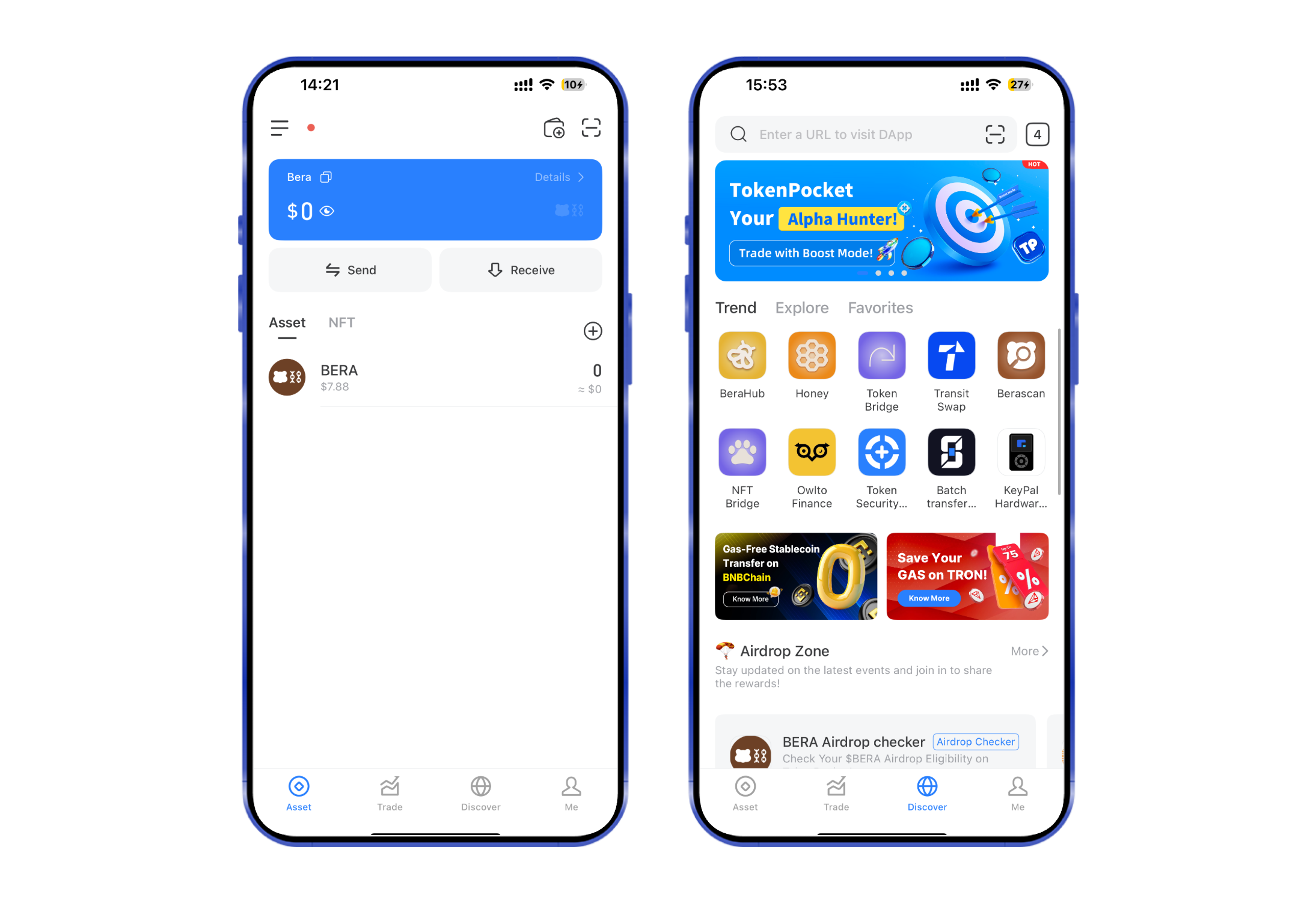
4. At this point, you have successfully created a **Berachain** wallet. You can store **Berachain** assets, swap\&bridge, and discover the **Berachain** ecosystem on TokenPocket from now on!
**Attention: Do not disclose the private key or secret recovery phrase to the third party!**
## **How to import a Berachain wallet in TokenPocket?**
1. Open the TokenPocket APP, click  on the upper right corner, click the search bar, and enter **Berachain**;
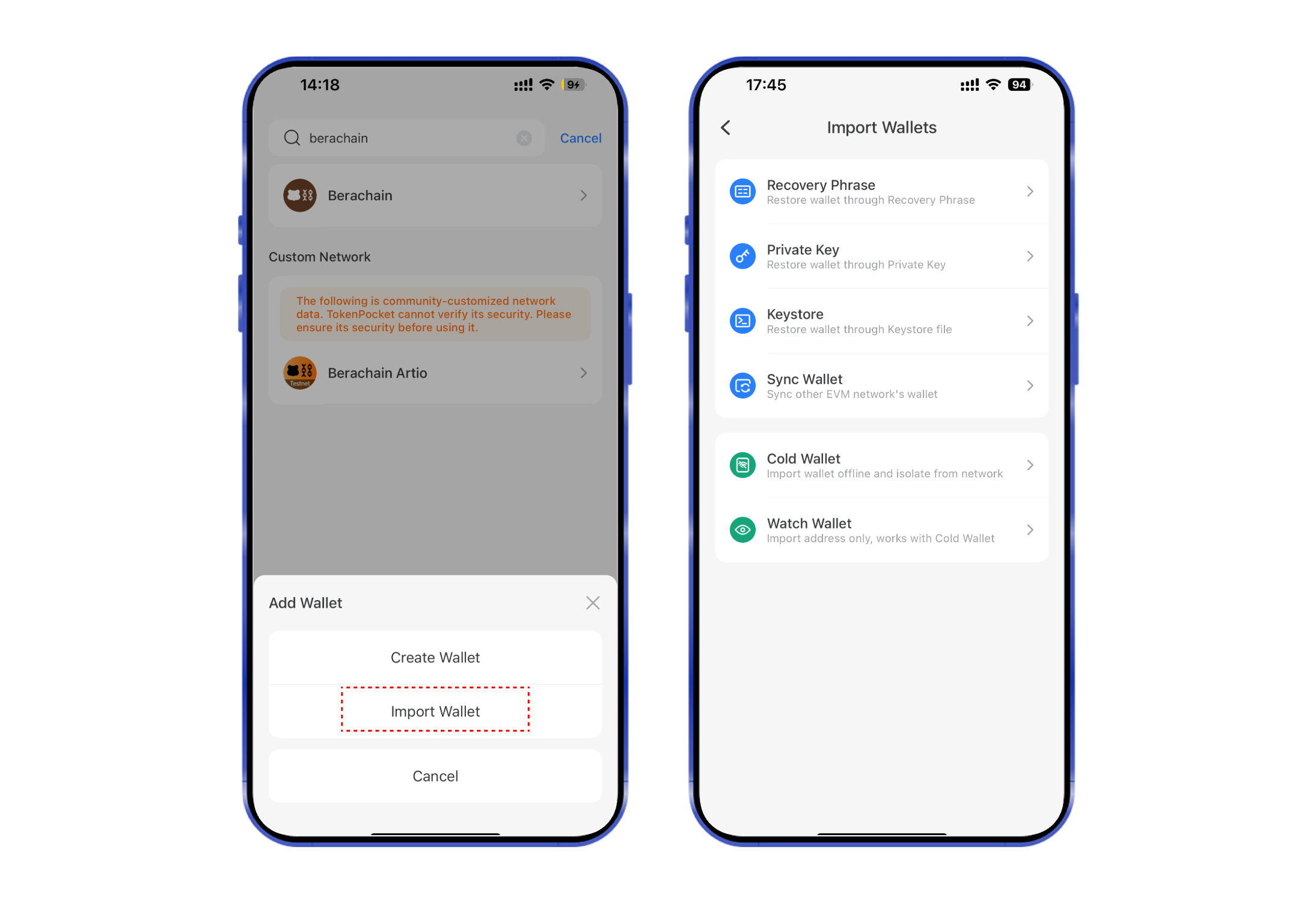
2\. Click **【Import Wallet】**, select **\[Recovery Phrase]**
3. Enter your secret recovery phrase, set your wallet name, and click confirm. At this point, you have successfully imported a **Berachain** wallet.
## Extension Wallet Tutorial
Open the [TokenPocket extension wallet,](https://extension.tokenpocket.pro/) click on the top button, choose the **Berachain** public chain in the menu, and you can directly sync to the **Berachain** wallet with the same address.