> For the complete documentation index, see [llms.txt](https://help.tpwallet.io/en/llms.txt). Markdown versions of documentation pages are available by appending `.md` to page URLs; this page is available as [Markdown](https://help.tpwallet.io/en/wallet-faq-en/btc-wallet/runes-use-guide.md).
# Runes Use Guide
### How to add Runes
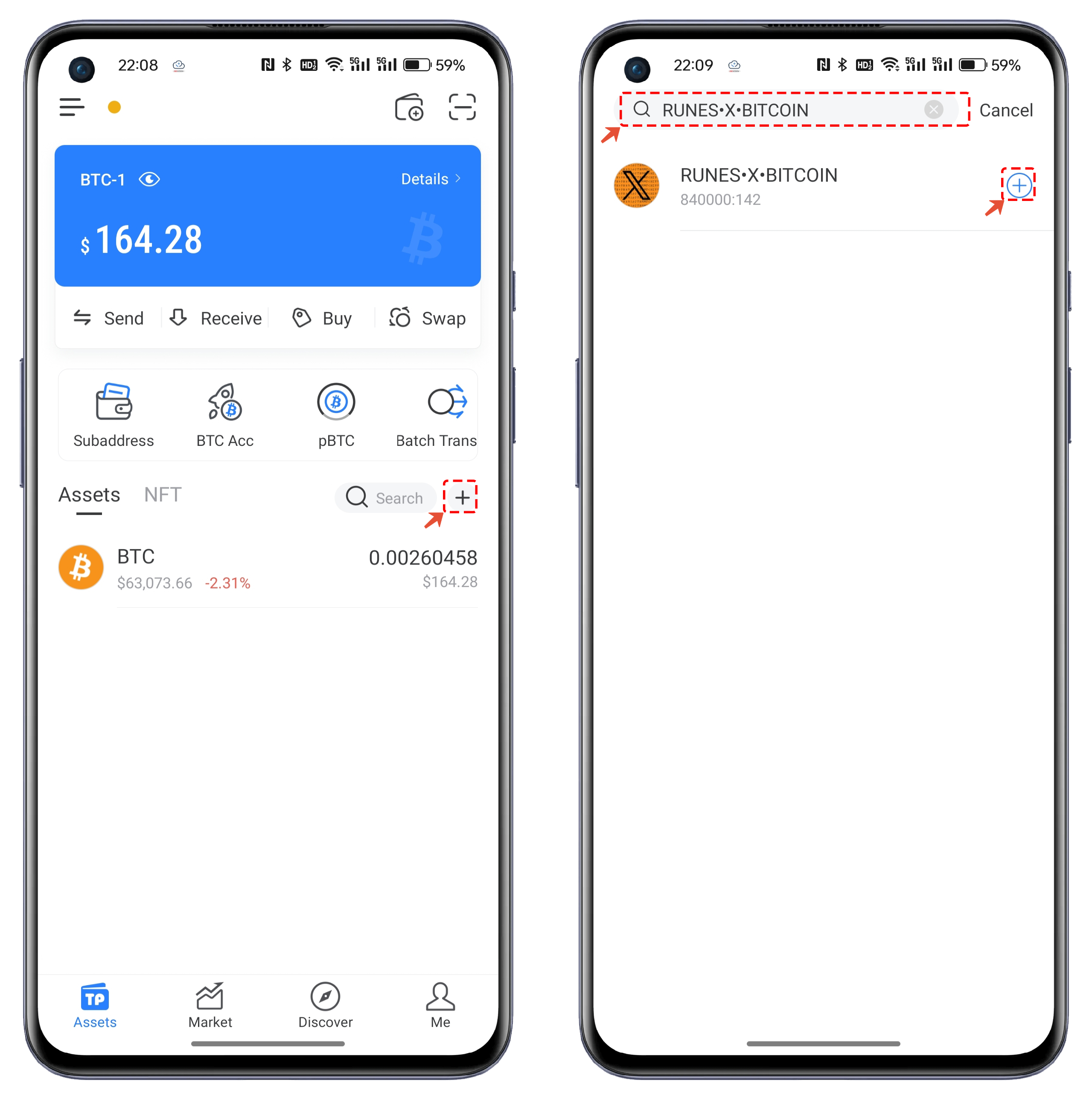
Open TokenPocket, and click the "+" on the right side of the assets. The token names for Rune are quite unique, so after entering the name of the token you need to search for, you can accurately locate the token without any duplicate names. Click "+" again to add it to the token list.
### How to buy\&sell Runes
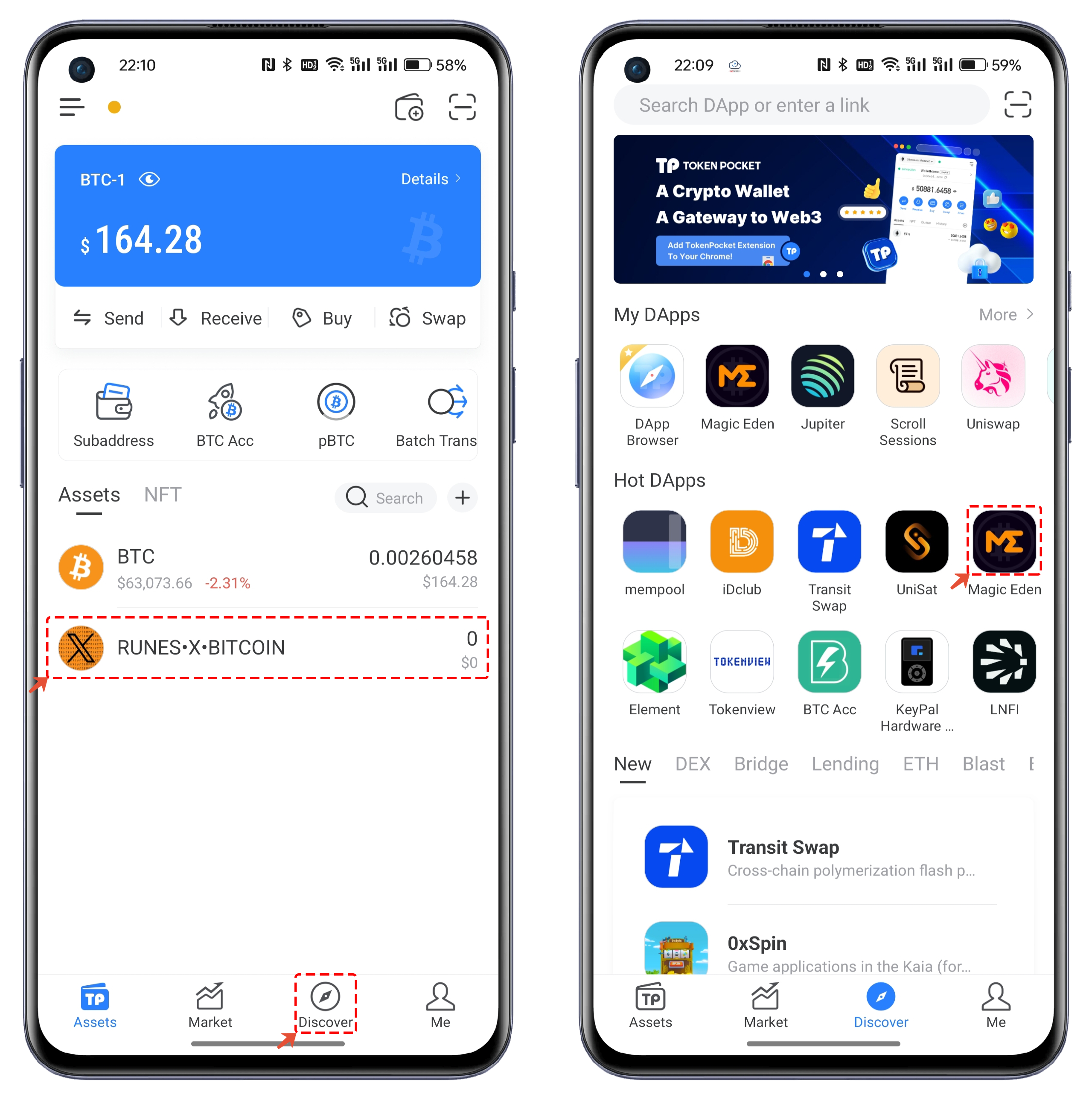
1. Open TokenPocket and click the "Discover" menu at the bottom. In the "Hot DApps" section, open the "Magic Eden" application.
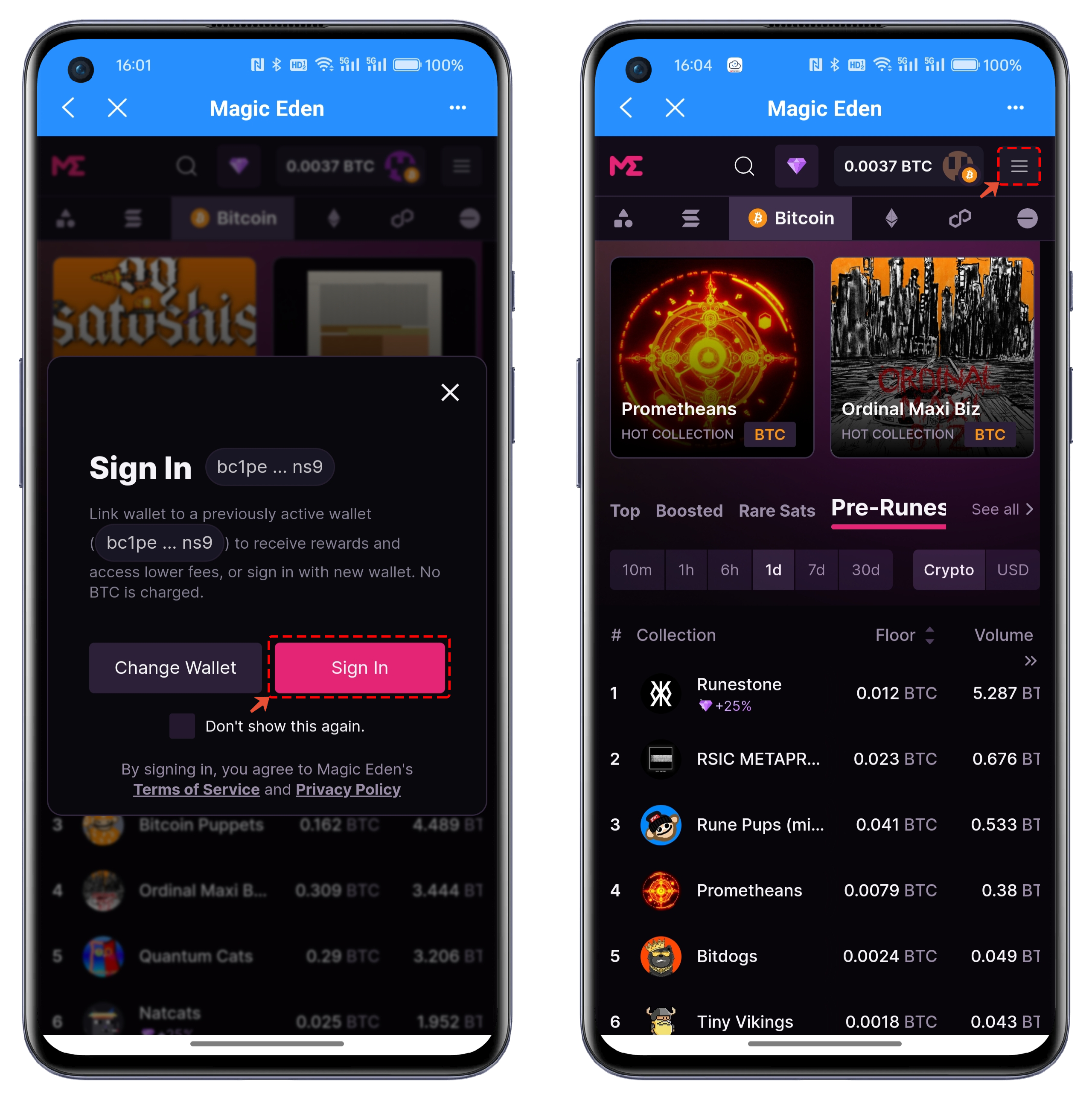
2. After opening Magic Eden, the wallet will connect automatically. However, you need to click "Sign In" to sign in. Once logged in, the Magic Eden interface will default to displaying the inscriptions trading list. Here, click the menu in the upper right corner of the interface.
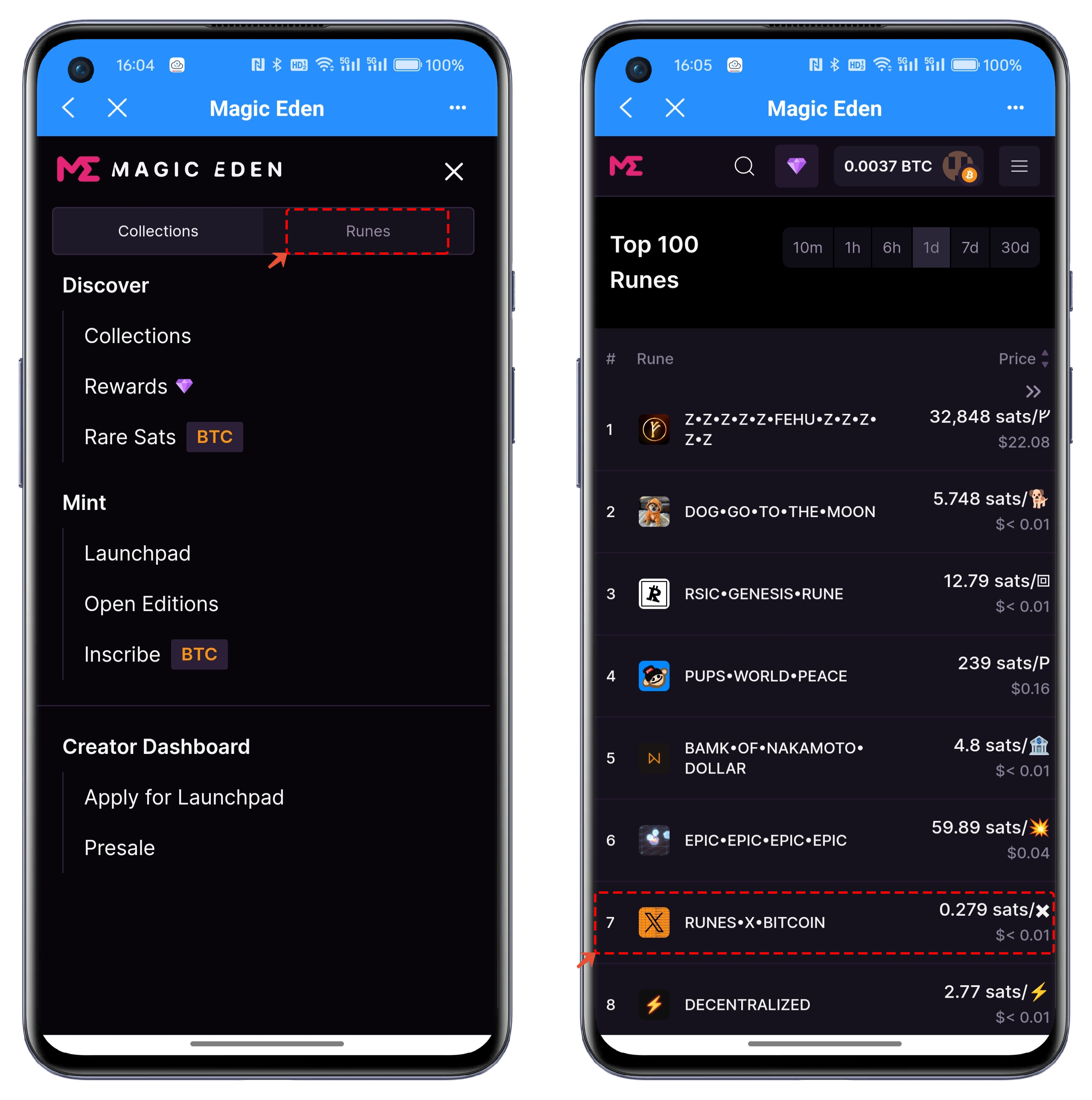
3. In the opened interface, select the "Runes" option. Returning to the list, you will see the trading data for Rune assets. Choose any token, for example: RUNES•X•BITCOIN.
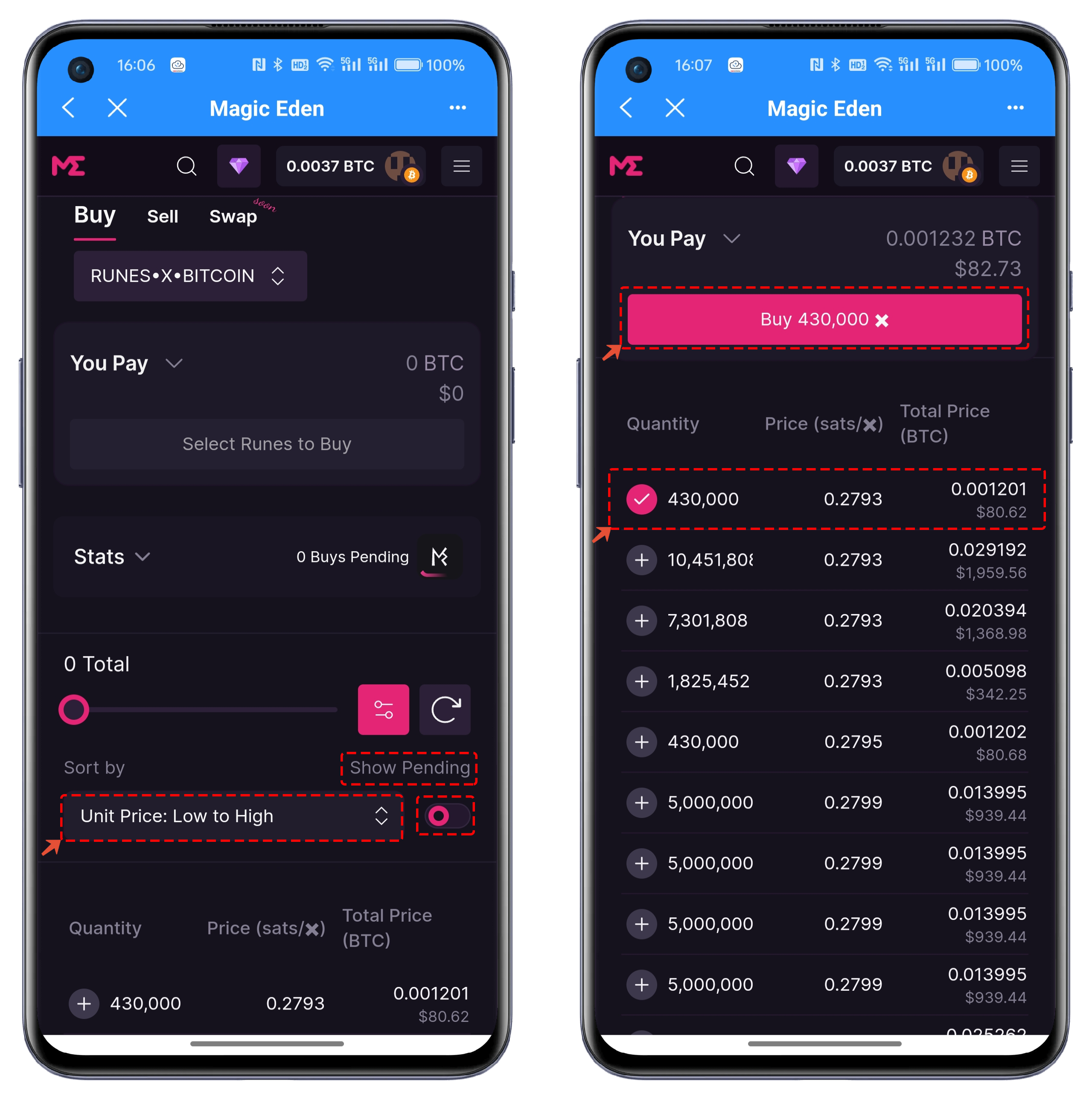
4. The current trading method is still order-based. Here, "Buy" and "Sell" are the main trading functions, while the more advanced "Swap" feature is still under development. In the purchase list, you can sort the orders based on various criteria. For example, we select a small order and check it. After checking, click "Buy 43000".
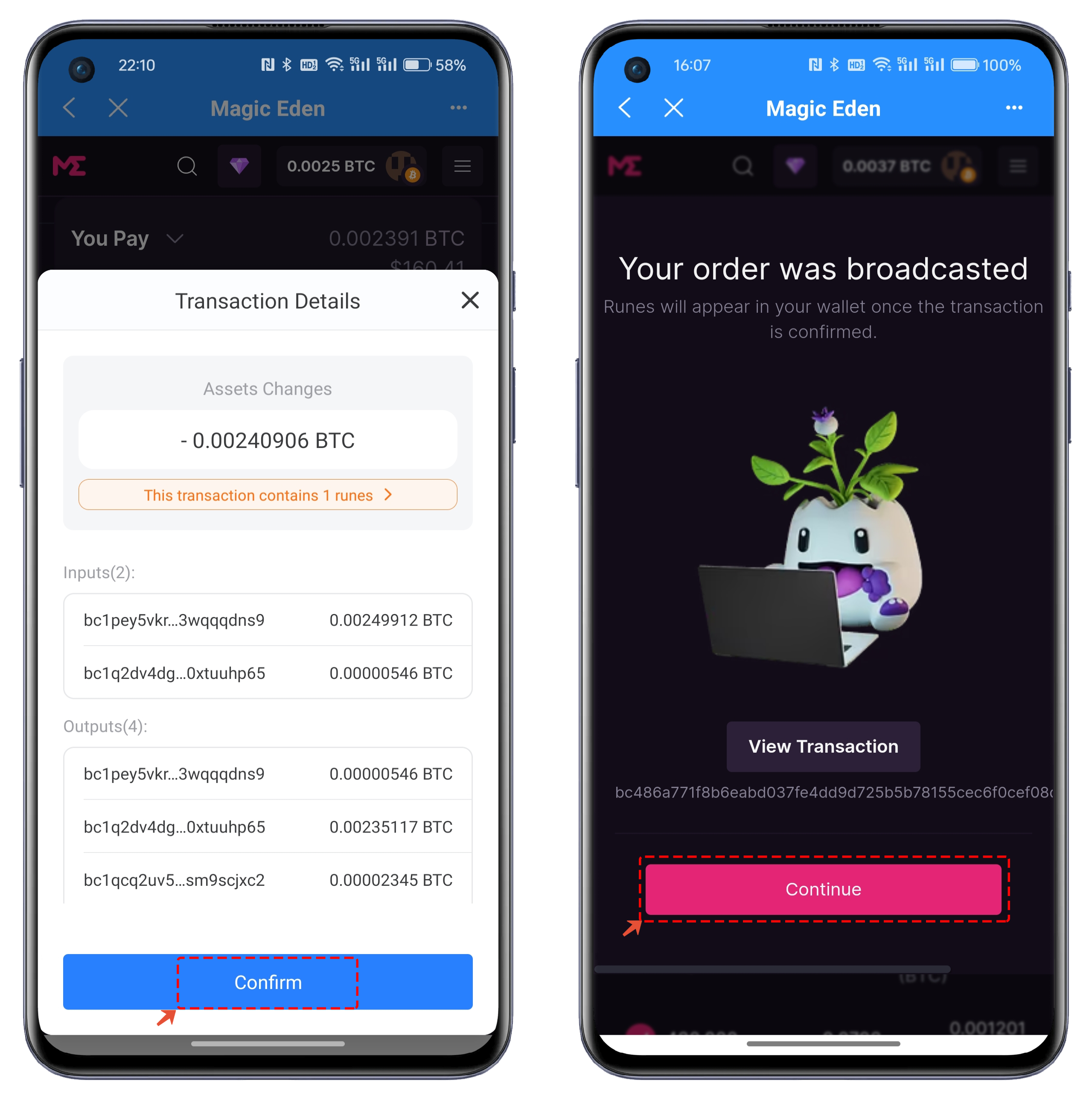
5. In the pop-up trading interface, click "Confirm" to sign. After signing, you will see a prompt screen. Click "Continue" to wait for the on-chain process to complete.
### How to Transfer Runes
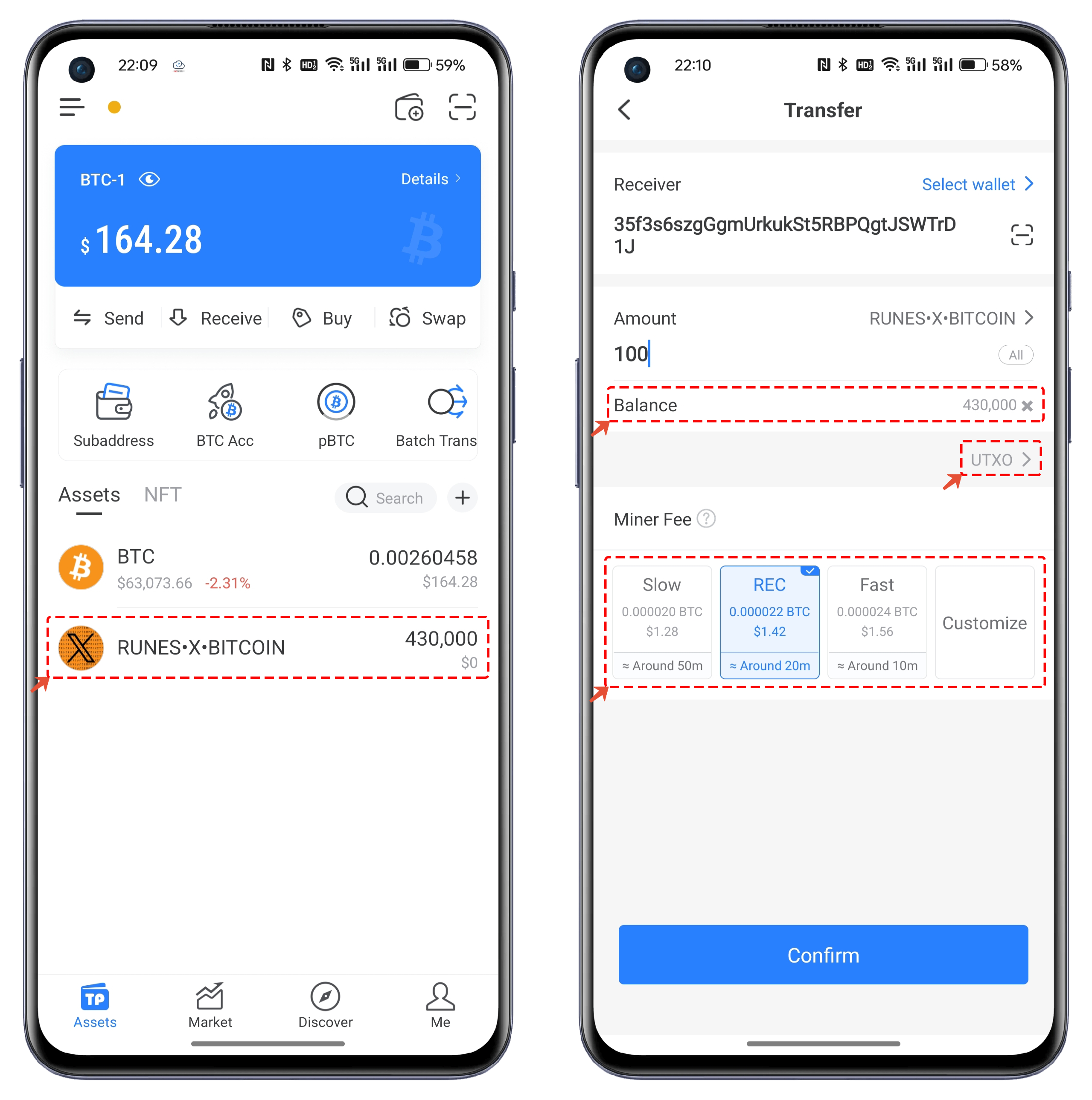
Open TokenPocket, click on the purchased RUNES•X•BITCOIN asset, and enter the transfer interface. Set the recipient address and the amount to be transferred. You can choose the miner fee according to your actual situation. If you want to transfer quickly, you can click the "Custom" function to increase the sat parameter.
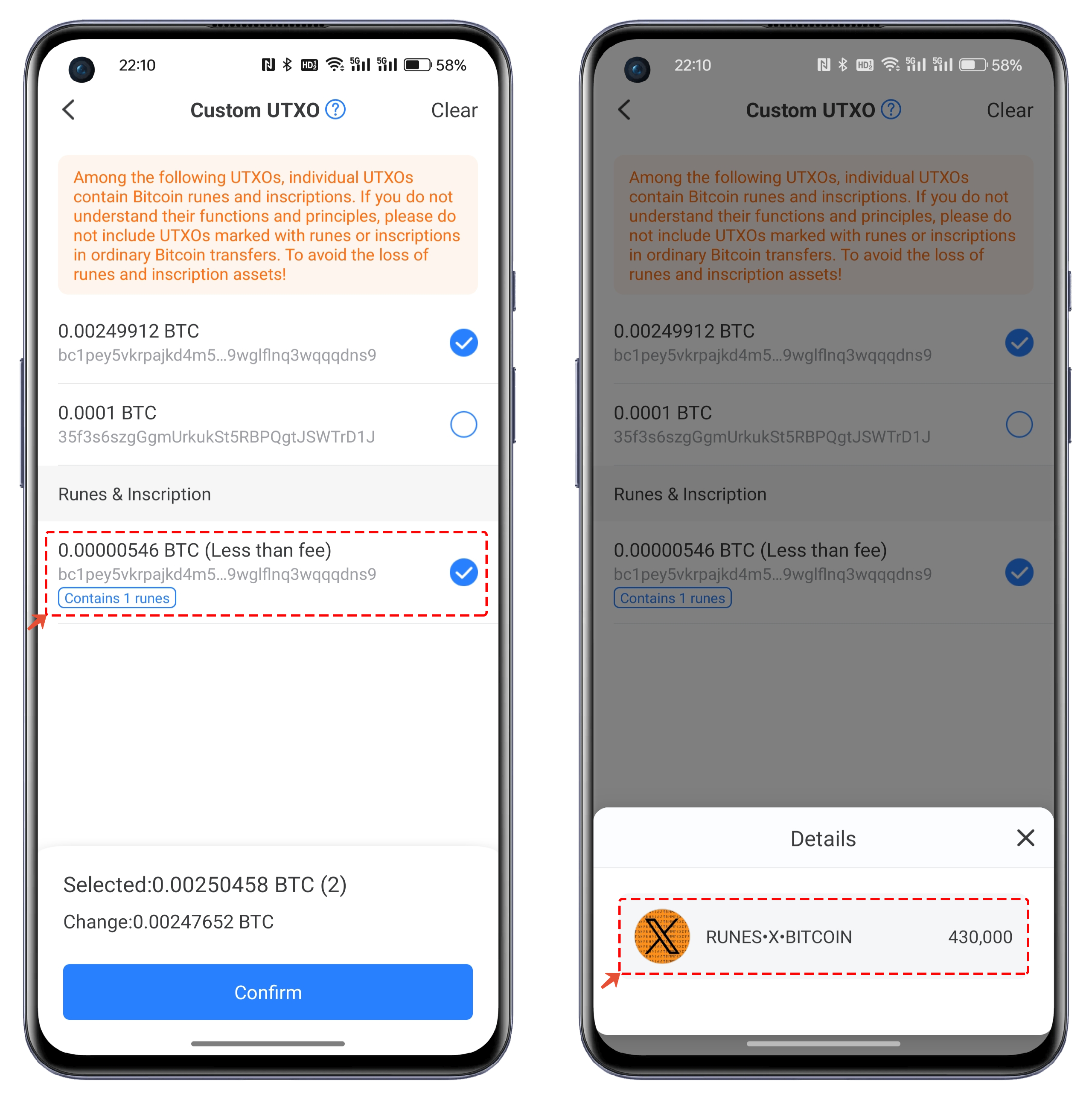
In the transfer interface, click on UTXO. You can customize it according to your needs. The list contains Gas (miner fee), where you can see the prompt "Contains 1 Rune". Click to view the specific details of the Rune.