# Raydium使用教程

### 什么是Raydium <a href="#id-0" id="id-0"></a>

Raydium是首个基于Solana区块链构建的去中心化自动化做市商（AMM），用于Raydium DEX。AMM平台允许用户进行交易、交换和提供流动性，以赚取数字资产回报。该协议利用Serum作为其交换系统，并获得更大的流动性。与基于Solana的所有协议一样，Raydium利用了区块链的速度和承载力。对于新手来说，自动做市商（AMM）是数字市场中用来决定资产买卖价格的指数或协议。

### Raydium使用教程

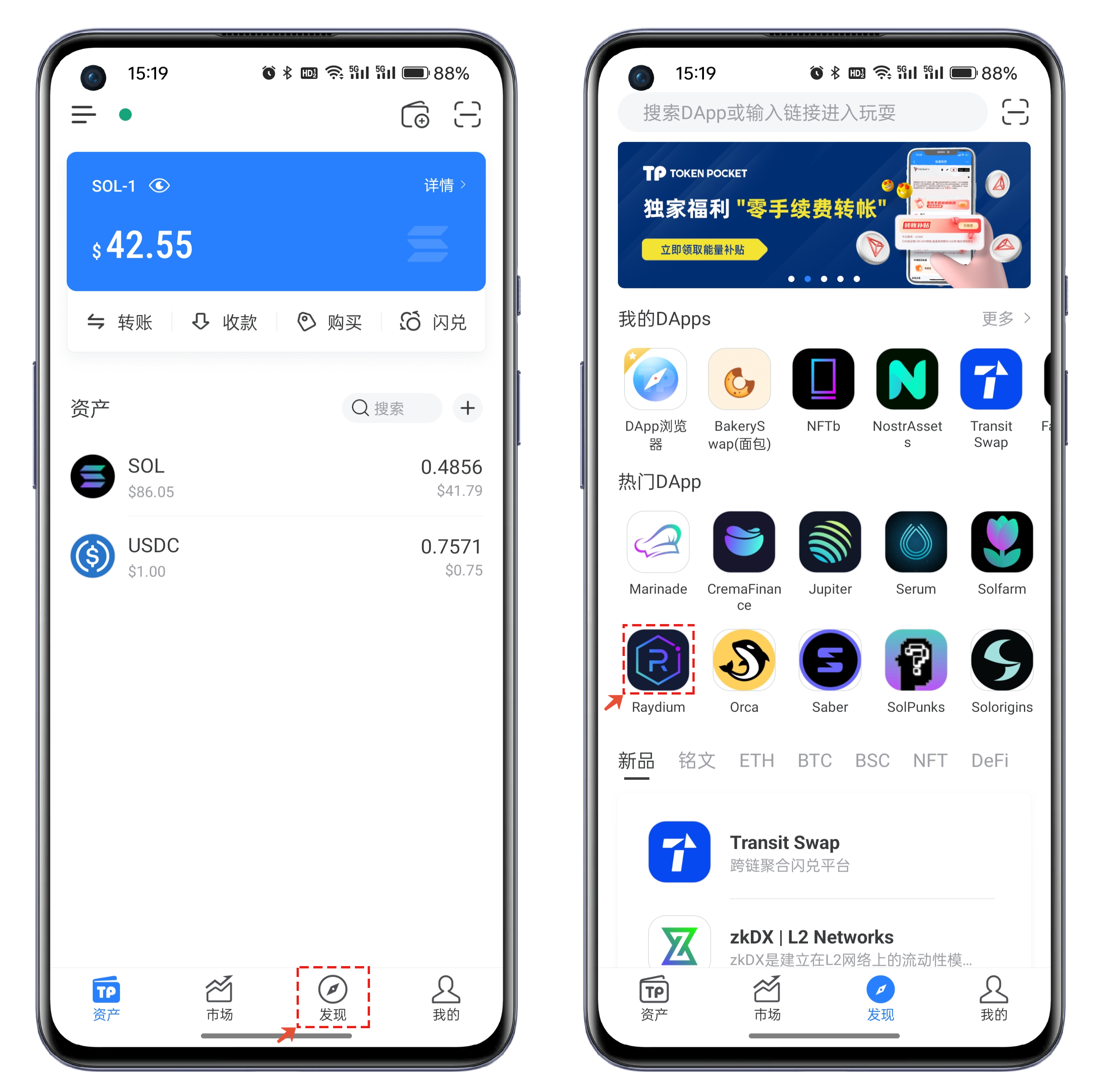
1、打开TokenPocket，点击底部【发现】菜单，在【热门DApp】中打开Raydium。

<figure><img src="https://files.gitbook.com/v0/b/gitbook-x-prod.appspot.com/o/spaces%2FMr66Ca6n3UR4Xw7gcij2%2Fuploads%2F8ytSJ5H7N4tnV9jutJC6%2F1.png?alt=media&#x26;token=6d875906-bbcd-4948-bb76-78b215a398a5" alt=""><figcaption></figcaption></figure>

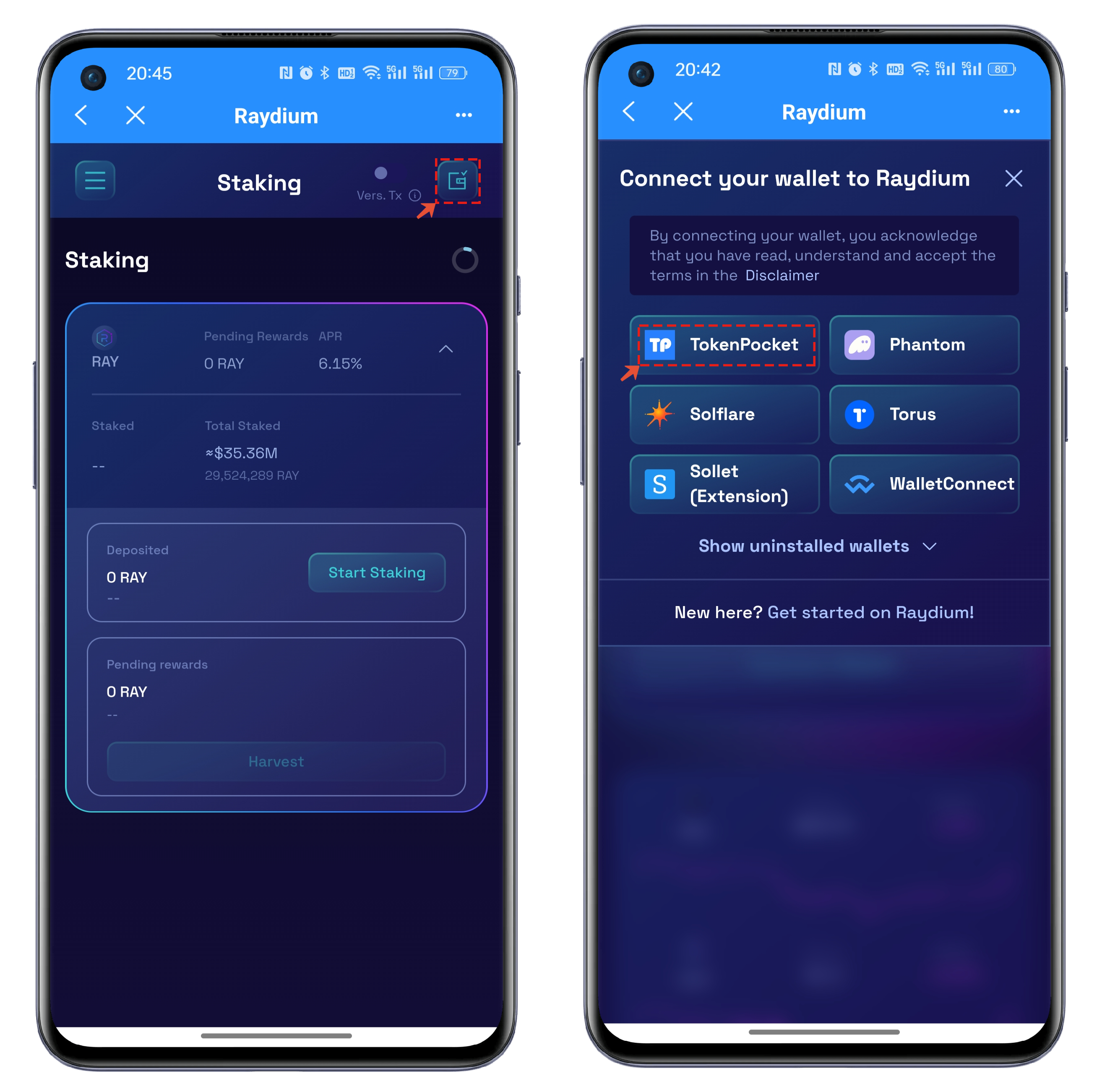
2、首次使用Raydium需要点击界面右上角的菜单，在连接钱包界面中选择TokenPocket。

<figure><img src="https://files.gitbook.com/v0/b/gitbook-x-prod.appspot.com/o/spaces%2FMr66Ca6n3UR4Xw7gcij2%2Fuploads%2FdCT5OcmYYjF2fVnEHnw2%2F2.png?alt=media&#x26;token=acacdc4e-43b6-4450-8167-132615c61bb9" alt=""><figcaption></figcaption></figure>

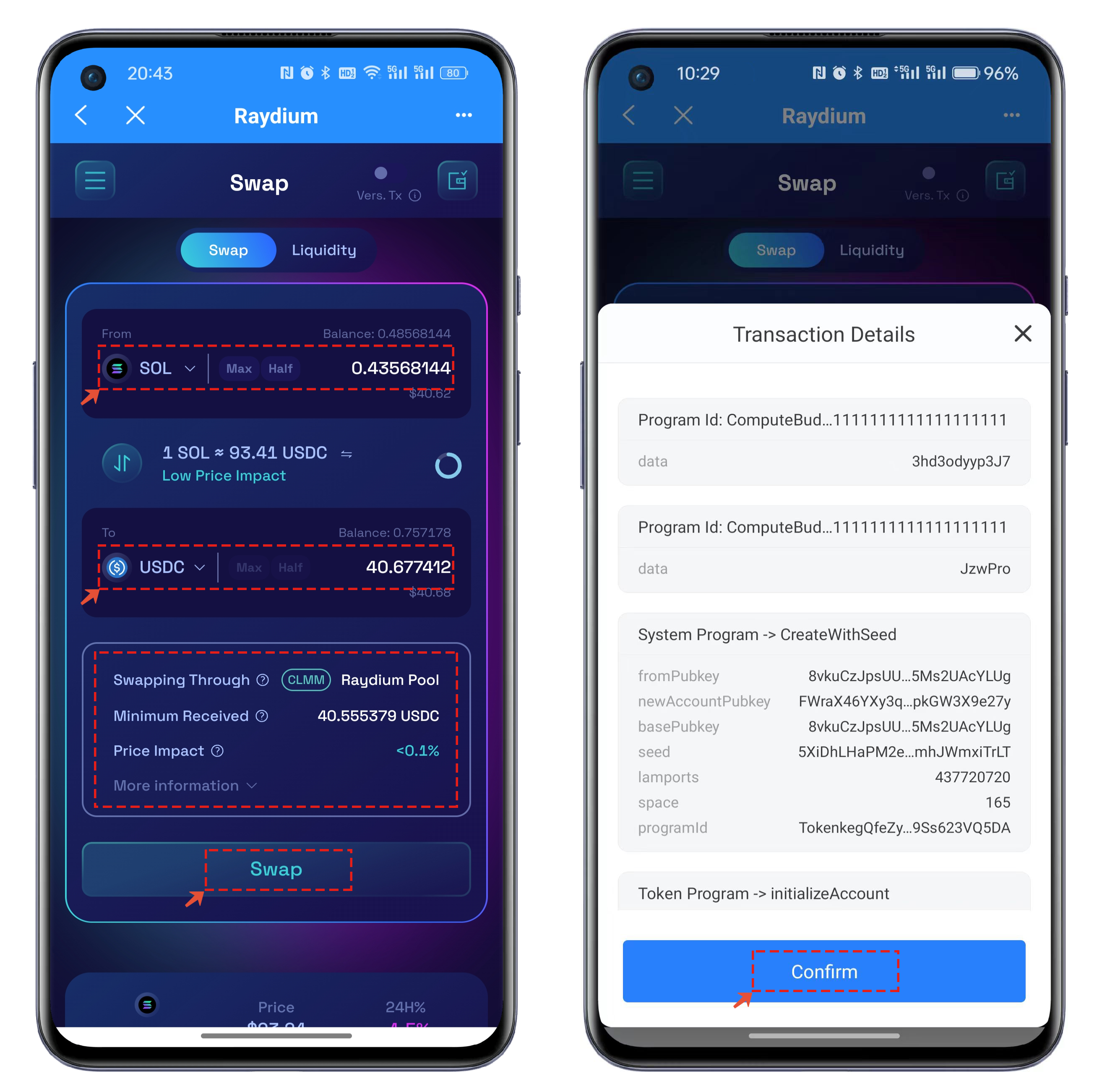
3、连接成功后，默认的是Swap的界面，和我们常用的Swap的操作没有太大区别，只需要选择兑换的代币和设置相应的数量后点击Swap即可弹出交易详情界面并执行签名。

<figure><img src="https://files.gitbook.com/v0/b/gitbook-x-prod.appspot.com/o/spaces%2FMr66Ca6n3UR4Xw7gcij2%2Fuploads%2FkO0TCt2yDH96T5Sl8QOm%2F3.png?alt=media&#x26;token=02431b81-a8dd-4e6e-89cb-045c66c6be13" alt=""><figcaption></figcaption></figure>

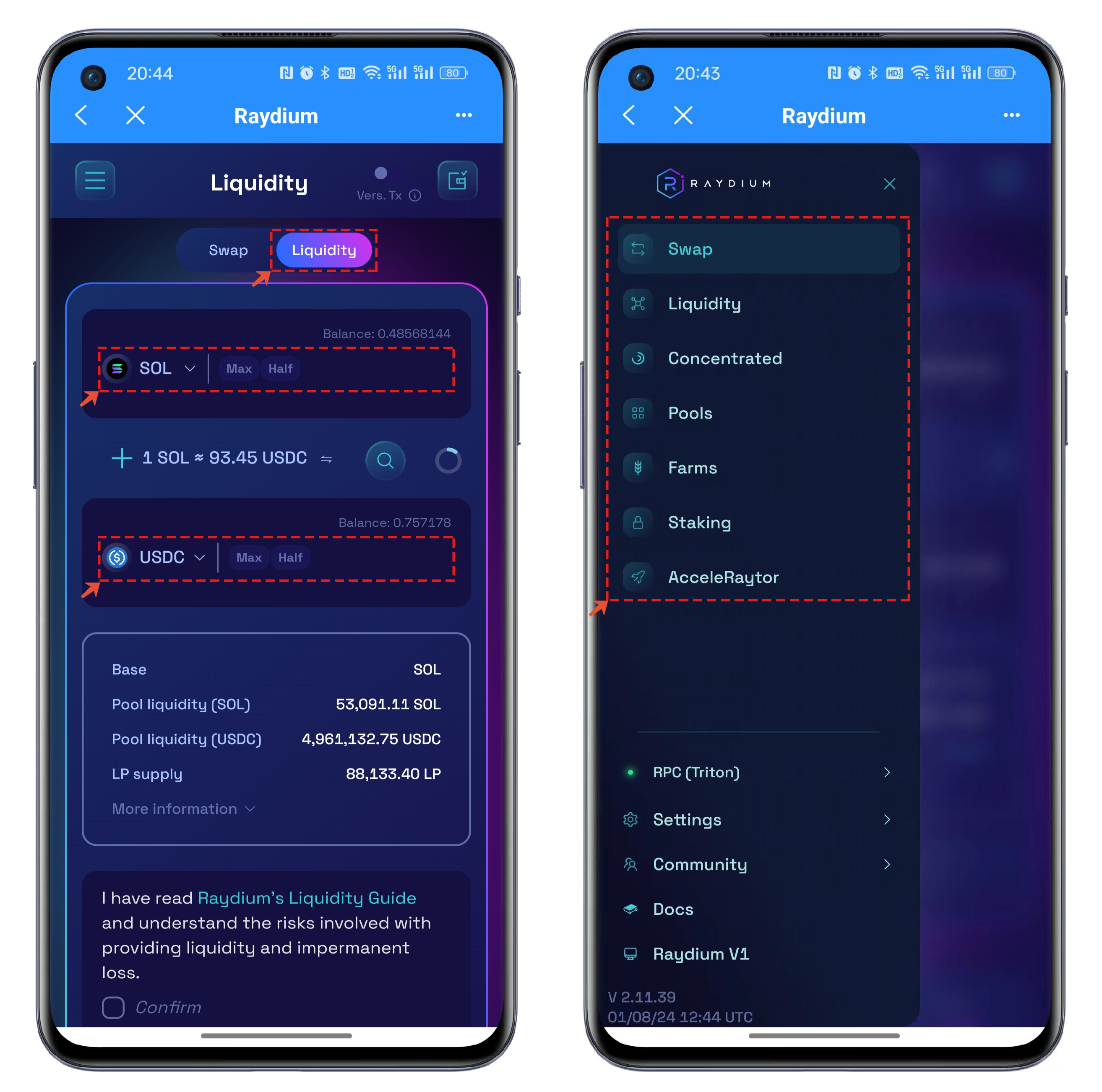
4、Swap功能旁边还有Liquidity，同样也是非常熟悉的功能和界面，只需要把想加入流动性的2个代币种类和数量设置好之后就可以执行存入并得到LP凭证。界面左上角的菜单集成显示了Raydium所有的功能，也都是日常的一些DeFi功能，您可以根据自己的喜好和使用习惯来选择。

<figure><img src="https://files.gitbook.com/v0/b/gitbook-x-prod.appspot.com/o/spaces%2FMr66Ca6n3UR4Xw7gcij2%2Fuploads%2FSyaSidPDefRbb4voAVv5%2F4.png?alt=media&#x26;token=645c07ad-21ed-4ae5-85c1-7fb5a2f8eaad" alt=""><figcaption></figcaption></figure>

**更多Raydium使用详情，您可以参考**[**官方文档**](https://docs.raydium.io/raydium/)

---

# Agent Instructions: Querying This Documentation

If you need additional information that is not directly available in this page, you can query the documentation dynamically by asking a question.

Perform an HTTP GET request on the current page URL with the `ask` query parameter:

```
GET https://help.tpwallet.io/cn/wallet-operation/how-to-trade-on-dex/raydium.md?ask=<question>
```

The question should be specific, self-contained, and written in natural language.
The response will contain a direct answer to the question and relevant excerpts and sources from the documentation.

Use this mechanism when the answer is not explicitly present in the current page, you need clarification or additional context, or you want to retrieve related documentation sections.